
A portal that keeps patients prepared and connected
Prescripta includes a patient portal as part of the all-in-one EHR for specialty and wellness practices. Patients sign in to one place for their appointments, visit prep, aftercare instructions, messages with the practice, notification preferences, and support.
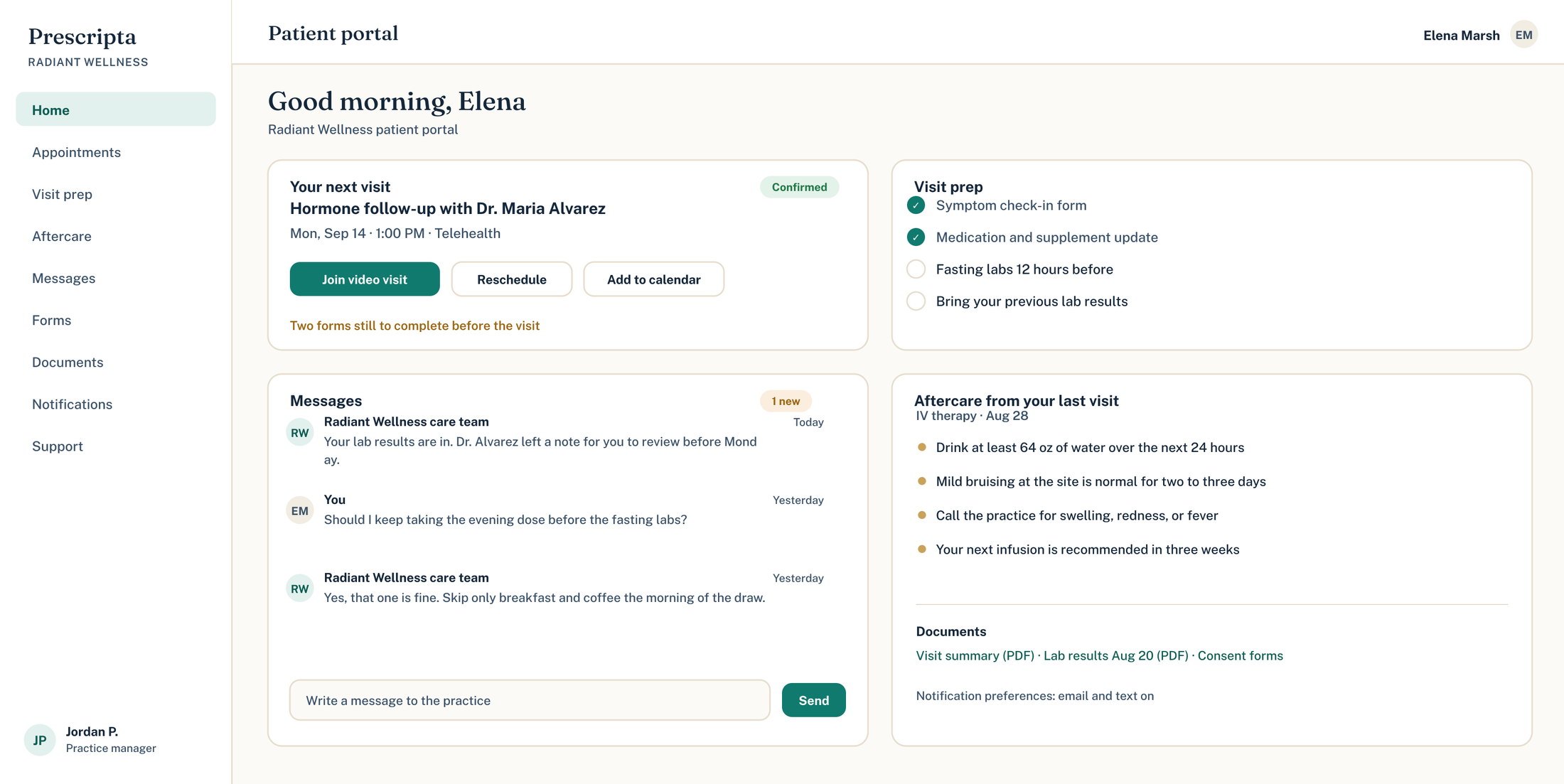
What the portal does for your practice
Prepared patients
Visit prep reaches patients before the appointment, so visits start ready instead of starting over.
Aftercare that sticks
Instructions live in the portal after the visit, not in a paper handout that gets lost.
Messages, not phone tag
Patients write the practice from the portal, and staff answer from a shared inbox on their side.
Patients control their notifications
Each patient chooses how they want to be reached in their own notification settings.
Inside the patient portal
Visit prep and aftercare
Every visit can carry prep beforehand and aftercare afterward, delivered in the portal where patients can always find it again.
- Prep instructions before the visit
- Aftercare available for review any time
- Tied to the actual appointment
Thursday · Dr. AlvarezVisit prep
Done
Done
Same sign-in, always available
Messaging and notifications
Patients message the practice from the portal and manage their own notification preferences in one settings center.
- Portal messaging with the practice
- Per-patient notification preferences
- Support requests from the same login
Jordan P. · via patient portal
Radiant Wellness · staff inboxReplied
Their notification preferences, their call
The portal looks like your practice
Practice branding paints the portal, so patients see your practice, with Prescripta doing the work underneath.
- Practice name and branding throughout
- Same branding as your booking page
- One consistent patient experience
Practice brandingLive
Patient Portal questions
More from run the practice
Patients book from your branded page; every visit lands in the chart.
Bookings, providers, hours, branding, and support, all in one console.
Raise and track support tickets from inside the platform.
Bring patients, notes, and documents over from your previous EHR.
See Prescripta on your practice's terms
Every Prescripta practice starts with a consultation. Bring your questions and we will walk through it together.
Book a consultSee pricingExplore the platform