
Switch EHRs without losing your history
Prescripta's import tooling brings your existing records into the all-in-one EHR for specialty and wellness practices: patients, medications, allergies, providers, chart notes, and documents, mapped from your current system's exports and verified before anything goes live.
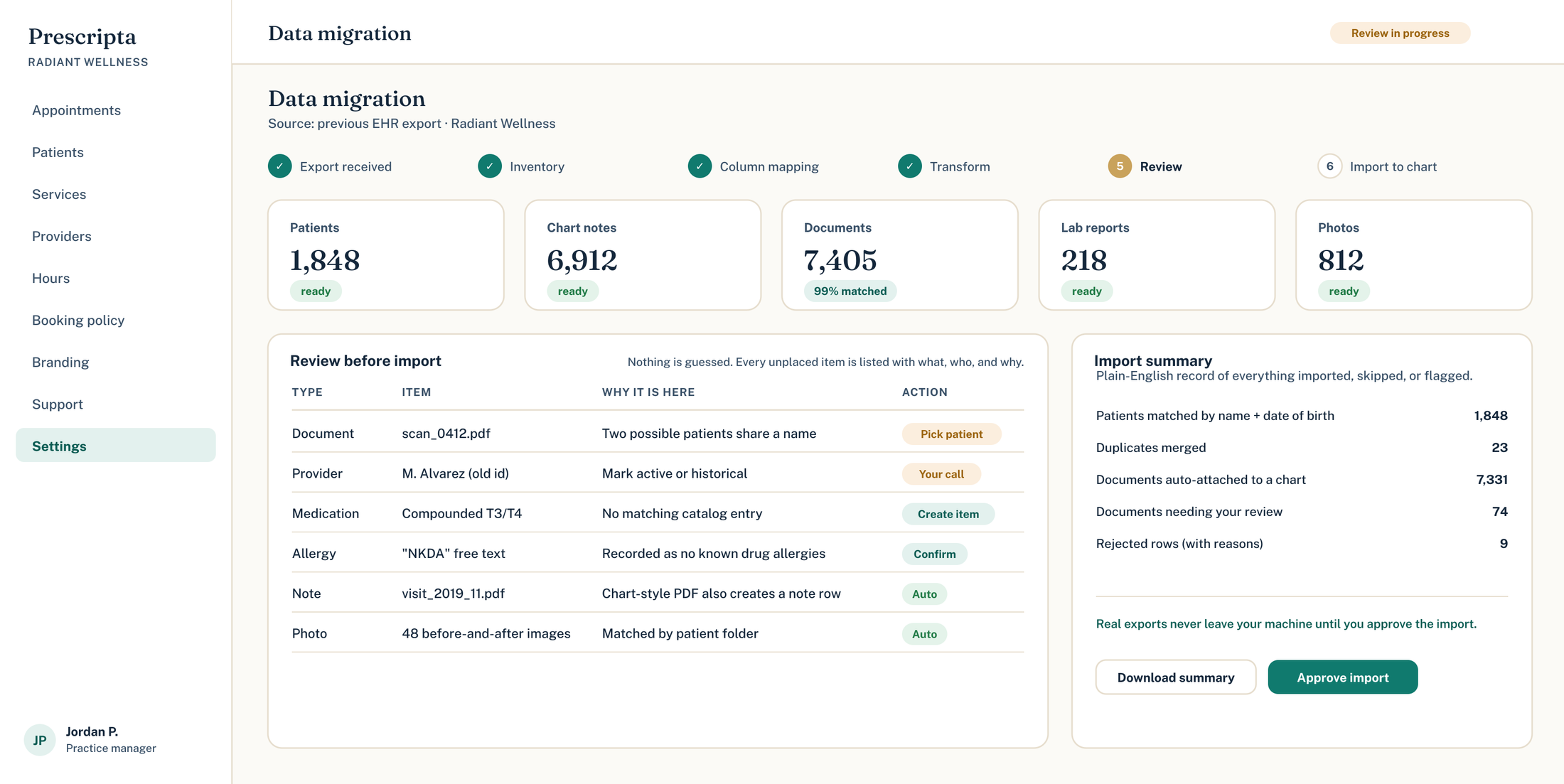
Why migrations land safely
Patients arrive with history
Demographics, medications, allergies, and chart notes come across, so day one is not a blank chart.
Documents preserved
PDF records and documents from the old system are carried into the patient's Prescripta record.
Review before live
Every import runs as a dry run first: you see exactly what will happen before it happens.
Done with you
Migration is part of onboarding, worked through with the Prescripta team, not a zip file and good luck.
How a migration runs
The record, not just the roster
Patient demographics, medications, allergies, providers, chart notes, and documents are all in scope, mapped field by field from your export.
- Patients, meds, allergies, providers
- Chart notes and PDF documents
- Field-by-field mapping, not guesswork
Demographics · meds · allergies
Linked to the right patient
PDFs attached to each record
Dry run, verify, then promote
Imports run in a review-first flow: a dry run shows every change, discrepancies get resolved, and only then does data go live.
- Dry run before every live import
- Verification against the source export
- Nothing promoted until it checks out
Every change previewed first0 discrepancies
Nothing moves until it checks out
Data Migration questions
Related reading
How Prescripta and Cerbo compare for specialty and functional medicine practices, and the questions that actually decide which EHR fits your clinic.
OptiMantra and Prescripta both target integrative and wellness clinics. Here is how they differ on charting, AI, prescribing safety, and day-to-day workflow.
Zenoti runs the business side of spas and med spas well. When clinical care enters the picture, practices need a real EHR. Here is how to tell which side of that line you are on.
More from run the practice
Patients book from your branded page; every visit lands in the chart.
Appointments, visit prep, aftercare, and messages in one signed-in place.
Bookings, providers, hours, branding, and support, all in one console.
Raise and track support tickets from inside the platform.
See Prescripta on your practice's terms
Every Prescripta practice starts with a consultation. Bring your questions and we will walk through it together.
Book a consultSee pricingExplore the platform